New: AI Voice Assistant 1.0 is out — control your PC by talking to it.

Built for Windows 10 & 11

Windows apps that finally feel modern

A small studio building fast, native-feeling desktop tools: a Dynamic Island for your taskbar, live hardware widgets, animated wallpapers and a voice assistant that actually does things. Free downloads, no account required.

  • 135.2K+ downloads
  • 4.8/5 average rating
  • No installer — extract and run

Four apps, one consistent design

Each one solves a specific annoyance in Windows. Install the one you need — they work perfectly on their own.

Desktop Enhancement

Dynamic Island for Windows

The iPhone notch experience, rebuilt for your Windows desktop

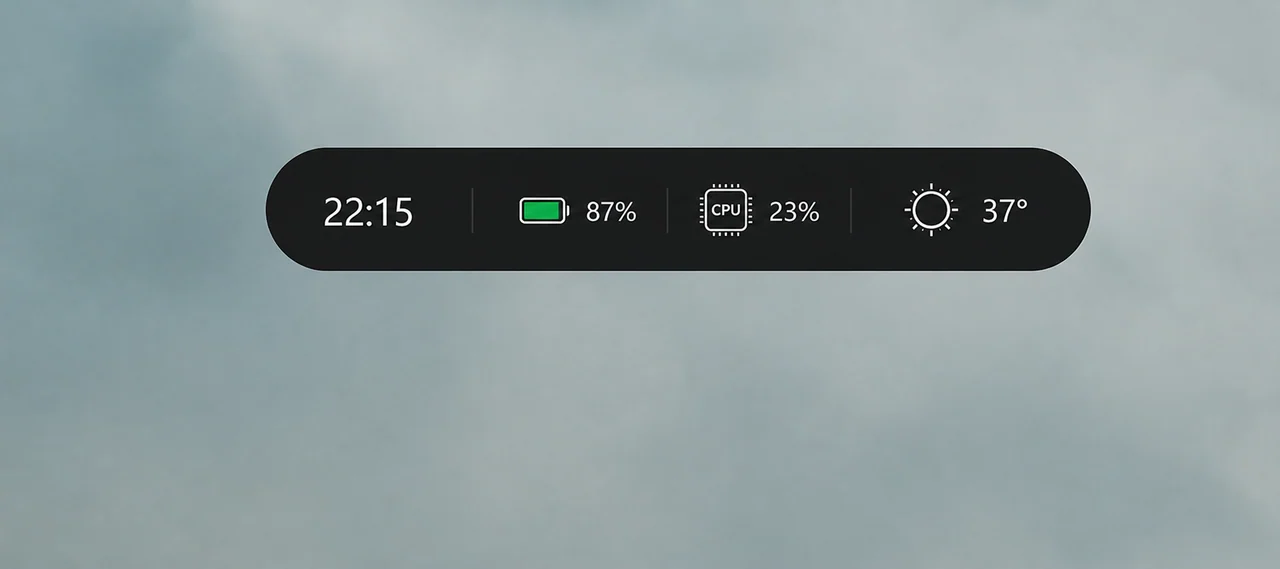
A floating island at the top of your screen that shows what is playing, incoming notifications, weather, battery and live CPU/RAM load — then expands into full media,…

  • Universal media controls
  • Live system panel
  • Real Windows notifications
v1.4.0866 KB 46.2K downloads

Desktop Widgets

Widgets for Windows

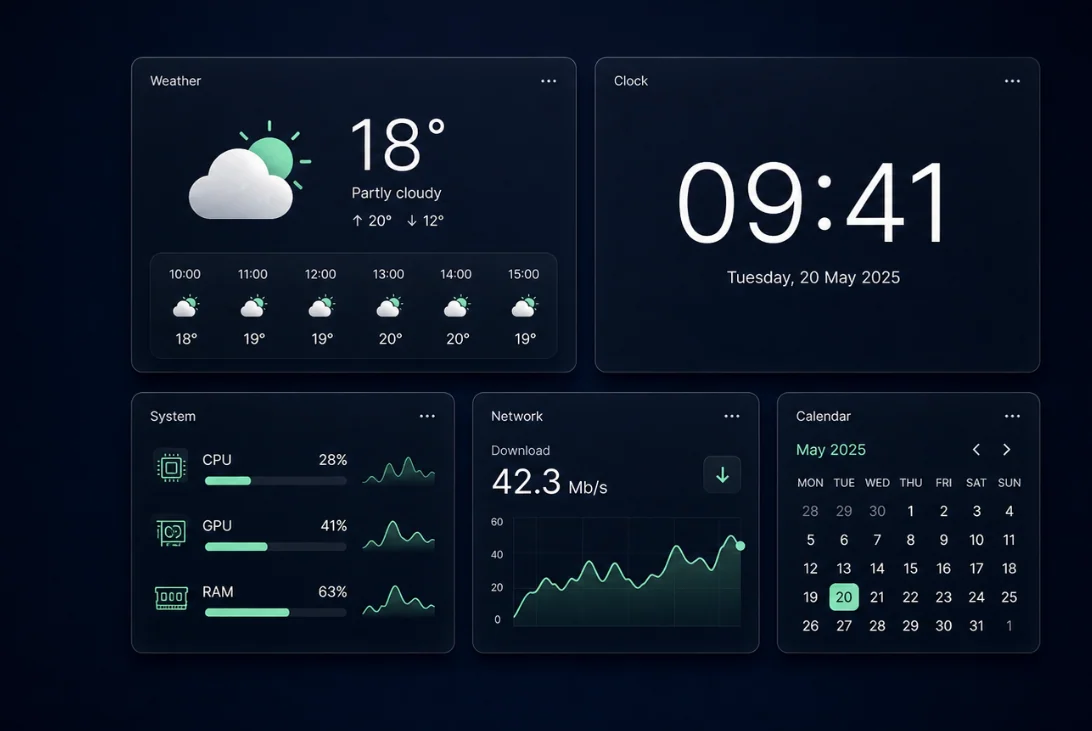
A clean widget board for weather, clocks and live hardware stats

Place resizable widgets straight on your desktop: weather, world clocks, calendar, and real-time CPU, GPU, RAM, disk and network monitors. Snap them to a grid, choose a…

  • Real hardware monitoring
  • Weather that looks good
  • Clocks and calendar
v2.1.0882 KB 38.4K downloads

Personalisation

Live Wallpapers for Windows

Video, GIF and web wallpapers that pause themselves when you game

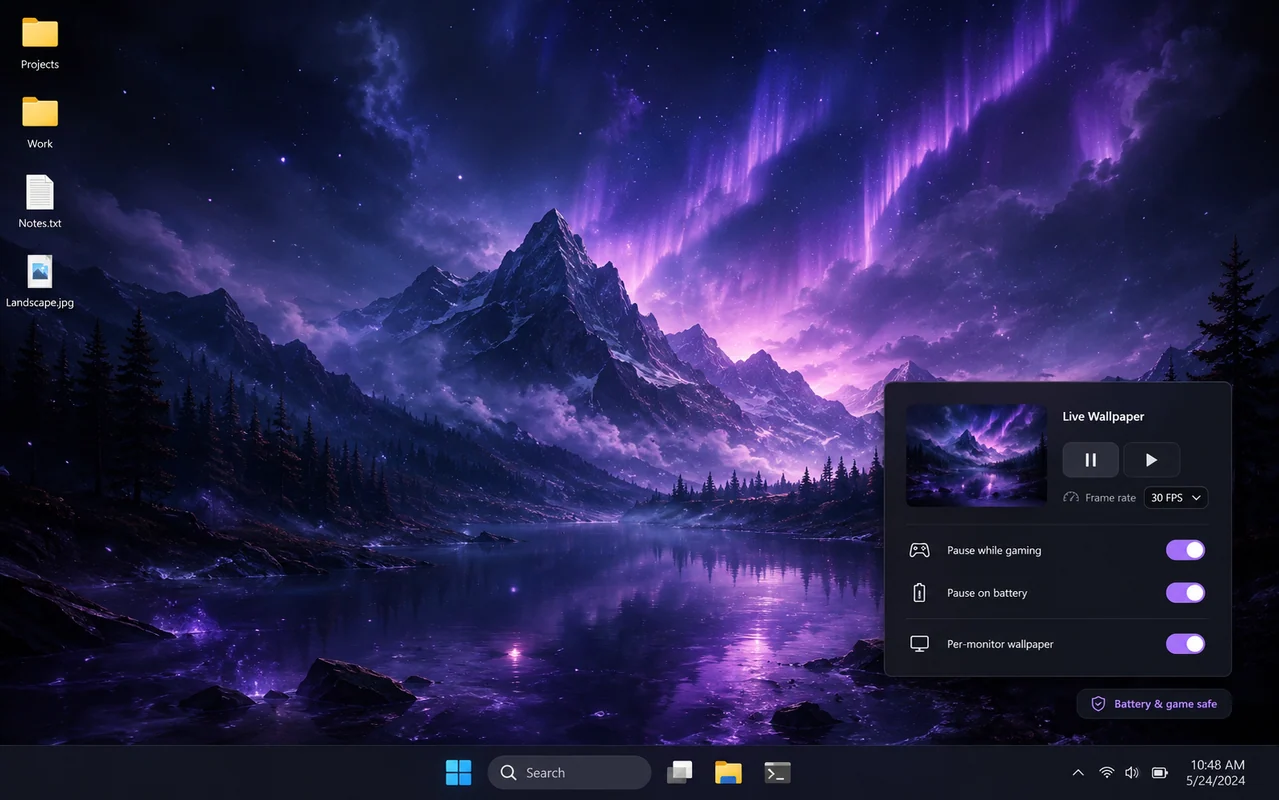
Turn any MP4, WebM, GIF or HTML scene into your desktop background, with a different wallpaper per monitor, playlists, audio reactivity and automatic pausing when a…

  • Any video or GIF
  • HTML and shader scenes
  • Per-monitor wallpapers
v1.6.0882 KB 29.1K downloads

Productivity

AI Voice Assistant for Windows

Talk to your PC — it opens apps, searches the web and handles the boring clicks

Say what you want and it happens: open File Explorer, search the web for something, find a file, launch an app, change the volume, take a screenshot or read out an…

  • Natural voice commands
  • Opens apps and folders
  • Web search and answers
v1.0.0882 KB 21.5K downloads

Why people keep these installed

Desktop customisation has a reputation for bloat. These apps are built the opposite way.

01

Megabytes, not gigabytes

Native code instead of a bundled browser engine. Downloads are a few megabytes and memory use stays in the tens of megabytes.

02

Nothing to uninstall

Every app is portable. Extract the ZIP, run it, and delete the folder if you change your mind. No registry entries, no services.

03

Quiet by default

No analytics SDKs, no account, no upsell popups. Features that need the internet are documented and can be turned off.

04

Games stay smooth

Overlays never hook your GPU and animations pause when a full-screen app takes over, so your frame rate is untouched.

From download to running: about 30 seconds

  1. 1

    Download the ZIP

    One click, no registration and no download manager. Files are served directly from this site.

  2. 2

    Extract anywhere

    Right-click, Extract All. Your Documents folder, a USB stick or a second drive all work fine.

  3. 3

    Run the executable

    No installer and no admin rights. Add it to your Startup folder if you want it back after a reboot.

How this compares to the usual options

  NovaDesk Typical free utility Paid suite
PriceFreeFree with adsPaid licence
Download sizeA few MB50–400 MB200 MB+
Installer requiredNo, portableYesYes
Account requiredNoSometimesUsually
Bundled offersNeverCommonNo
Pauses while gamingYesRarelyYes

Frequently asked questions

Global question?

Global answer.

Pick one app and try it for five minutes

Nothing to install, nothing to sign up for. If it is not for you, delete the folder.